Daniel Ly.

Designer

Daniel Ly.

Designer

Daniel Ly.

Designer

Daniel Ly.

Designer

Simplying Compliance for Drivers

Product thinking, Problem-solving, UX, Deep collaboration
Project Duration

3 weeks

Company

CloudTrucks

Role

Product Designer

Project Duration

3 weeks

Company

CloudTrucks

Role

Product Designer

Project Duration

3 weeks

Company

CloudTrucks

Role

Product Designer

Project Duration

3 weeks

Company

CloudTrucks

Role

Product Designer

Context


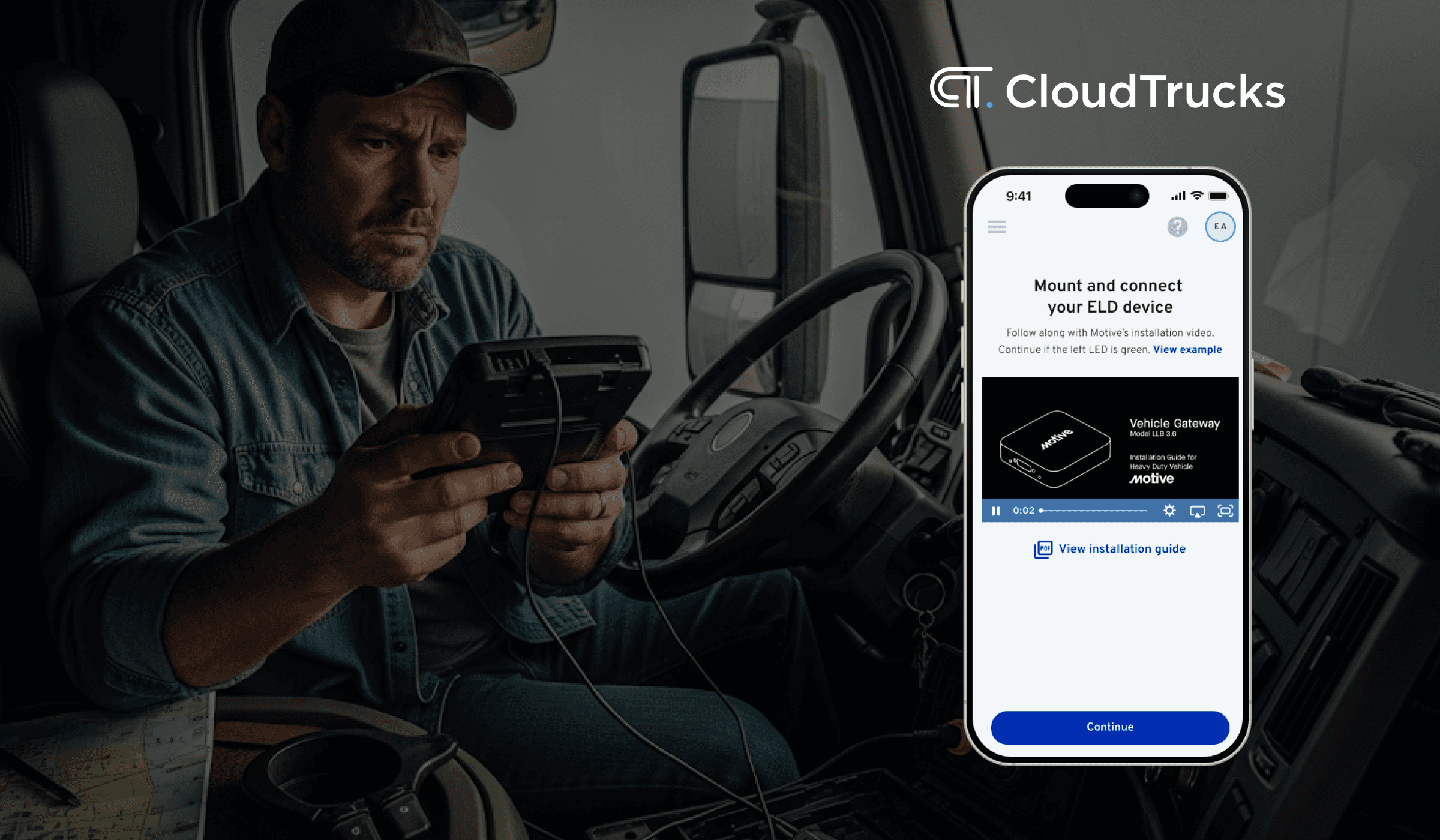
I redesigned the Electronic Logging Device (ELD) setup experience, which is one of the most important and historically most challenging steps in the CloudTrucks onboarding flow. Every new driver receives a Motive ELD device in their Welcome Package as part of our partnership with Motive. To stay compliant and legally operate, drivers need to physically install the device in their truck and connect it to the Motive app before they can start earning.


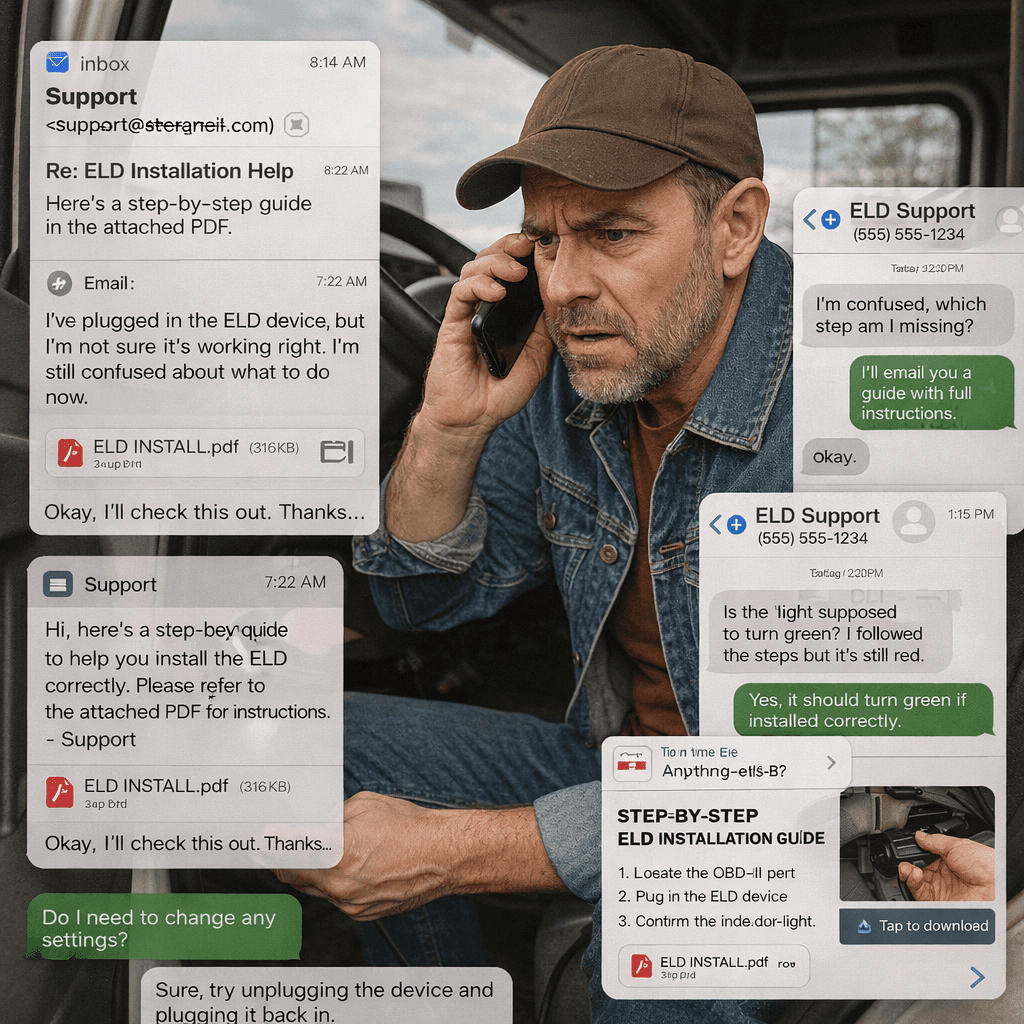
Before this project, the setup experience lived across a printed PDF, an email, and the Motive app. Drivers had to jump between instructions, figure out which cable type they had, install the hardware correctly, and then troubleshoot any pairing issues on their own. Not surprisingly, this step had some of the highest confusion and drop-offs in the entire onboarding journey.


From a business point of view, delayed installations meant delayed revenue for both drivers and CloudTrucks. From an operational point of view, our Support and Pathway teams spent a large amount of time walking drivers through setup over the phone without any visibility into where things were breaking.


This project was an opportunity to tighten the entire experience by bringing together physical hardware setup, mobile guidance, and a third-party app flow into something clearer, more intuitive, and more supportive for drivers who are often doing this on the road under less-than-ideal conditions.
The Problem


The ELD setup step was one of the main friction points in the onboarding journey for new CloudTrucks drivers. Drivers received a Motive ELD device in their Welcome Package, but the setup process was scattered across printed instructions, long emails, and the Motive app. This created uncertainty, confusion, and a high risk of mistakes during a moment that is already stressful for new drivers. Since drivers cannot begin operating or earning until the device is installed and connected, any confusion in this step slowed down activation and increased support volume.


CloudTrucks needed a clearer, guided setup experience that worked for drivers in real-world conditions and reduced the burden on internal teams. The goal was to design a step-by-step experience that supported both the physical installation of the device and the digital pairing process while giving drivers confidence that they had completed everything correctly.

Research and Insights


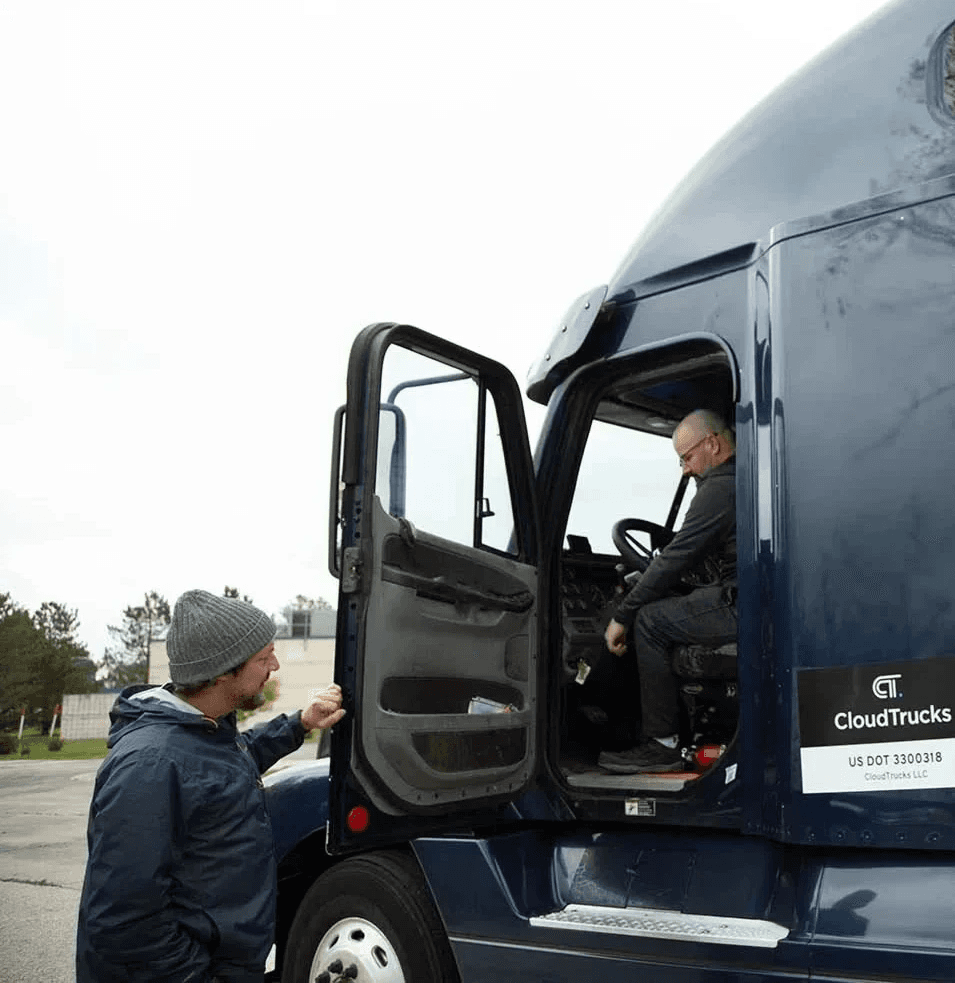
To understand where drivers were getting stuck in the ELD setup process, I worked closely with the Operations and Support teams. I observed real onboarding sessions, listened to support calls, and mapped out the full end-to-end journey from the moment drivers opened their Welcome Package to the moment the ELD successfully transmitted data. I paired this with a competitive audit of other fleet-tracking tools and hardware setup experiences to understand common patterns and best practices.

Through this process, several key insights surfaced.

1. The instructions were fragmented and inconsistent

Information lived across a printed PDF, an email, text-based messages from onboarding specialists, and the Motive app. When drivers skipped the Marketo form or missed details in email, Operations often had to collect truck information manually through text. All of this created inconsistent entry points and missing data early in the process.

2. Physical installation created both errors and uncertainty

Drivers often plugged the ELD into the wrong port or used the wrong cable type. Many were not confident that they had installed the device correctly, and small mistakes led to incomplete connections or missing data. Since matching the truck to the correct ELD serial number is a compliance requirement, any error here created a risk of incorrect records or lost data.

3. The Motive app pairing flow was confusing without guidance

The Motive pairing experience contained several detailed steps that were easy to miss. Drivers had to sign in using credentials that were preset by CloudTrucks, turn on the truck and wait for specific light colors, enable Bluetooth, search for the correct vehicle type, and then verify pairing by checking for two green lights on the device. Many drivers did not understand what each step meant or how to know if something had gone wrong.

4. Support teams had no visibility into driver progress

When drivers called in, Support could not see which steps had been completed. The team would start troubleshooting from the beginning, often repeating steps the driver had already done. This made every support call longer, and it slowed down onboarding volume for the entire team.

5. Drivers wanted reassurance, not just instructions

I noticed emotional patterns during calls. Many new drivers described themselves as "not tech people," and a significant number expressed anxiety about doing something wrong and failing compliance. What they needed most was confidence that every step they completed was accurate, verified, and tracked in the system.

6. Important compliance steps were handled outside the product

DOT compliance stickers were included in the Welcome Package, and drivers were asked to send photos to Operations by text or email as proof of installation. This created unnecessary operational overhead and made it difficult for CloudTrucks to keep clean records inside the system.


Key Insight

Drivers do not simply need instructions. They need a guided experience that gives them confidence that each step is correct, validated, and recorded. Without this, the setup process becomes fragmented, error-prone, and heavily dependent on Operations for troubleshooting.
Design Process


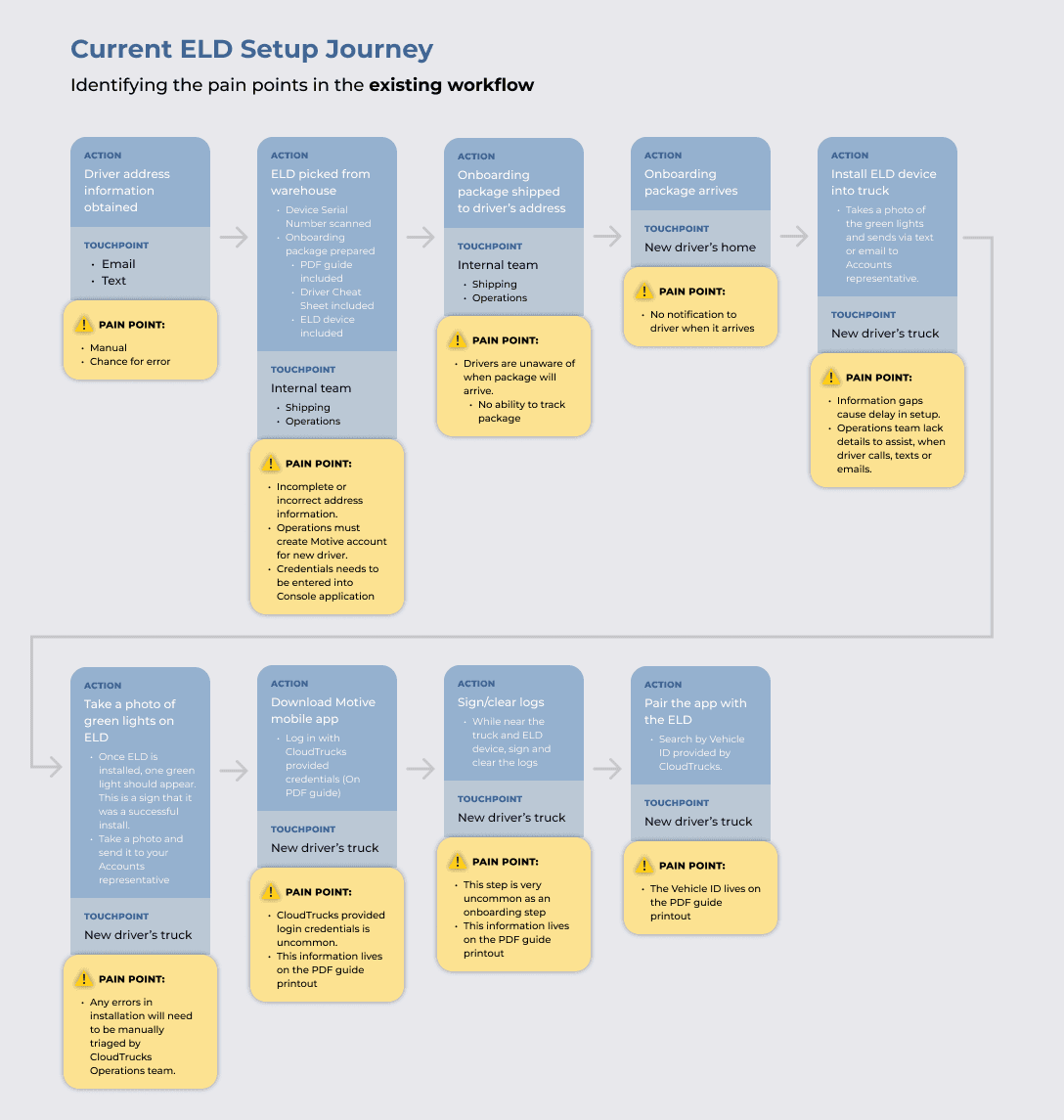
My approach focused on understanding the full journey from the moment drivers opened their Welcome Package to the moment their ELD device was fully paired and transmitting data. I combined user research, operational feedback, and system mapping to identify where the breakdowns were happening and what drivers actually needed in order to move forward with confidence.


1. Mapped the current experience across all touchpoints

I reviewed the printed PDF, onboarding emails, texts from specialists, and the Motive app to understand how fragmented the experience was. I traced the exact steps drivers were asked to take and documented failure points.


2. Partnered with Operations and Support to understand real-world behavior

I listened to recorded support calls, observed live troubleshooting sessions, and gathered insights from team members who spoke with drivers every day. These sessions revealed the emotional side of the experience, especially for drivers who were uncomfortable with technology or unsure about compliance requirements.


3. Analyzed common hardware issues and installation errors

I identified why drivers often plugged into the wrong port, used the wrong cable, or expected different behavior from the device lights. This helped shape a more visual and confirmable setup flow.


4. Audited the Motive pairing flow

I walked through Motive’s pairing steps and documented every detail that was unclear or overly technical for new drivers. This informed the guidance layer I needed to build around the third-party app.

5. Benchmarked other hardware onboarding experiences

I looked at setup flows from other fleet tracking tools and general hardware products to understand how they educate users, confirm steps, and reduce uncertainty.

6. Synthesized insights into clear goals and a guided experience

These findings led to the decision to unify the entire process in-app, give real-time confirmation points, and build a structure that supports different truck types and cable configurations.

Key Design Decisions


1. Move all instructions and compliance steps into a single guided flow

Drivers no longer jump between PDFs, emails, texts, and the Motive app. This reduces cognitive load and makes every step predictable and trackable.


2. Use visual identification for truck ports and cable types

Many drivers struggled to know which cable matched their truck. I added simple diagrams, photos, and clear labels so drivers could identify the right equipment quickly and avoid installation errors.


3. Break the setup into small, confirmable steps

Each step of the process asks the driver to complete one action and then confirm the result. This builds confidence and helps prevent mistakes that lead to failed activation.


4. Prepare drivers for what will happen inside the Motive app

Instead of dropping drivers into a third-party experience with no context, the flow explains how to sign in, what to tap, what the truck name should look like, and how to know if pairing was successful.


5. Add verification for ELD serial number and truck matching

Matching the correct device to the correct truck is a compliance requirement. The new flow guides drivers through this step and ensures accurate records for Operations.


6. Integrate DOT sticker proof directly into the flow

Drivers submit a photo inside the app rather than texting or emailing Support. This removes operational overhead and creates a clean record in the system.


7. Provide real-time feedback and completion states

Drivers see clear indicators when the device is powered, the app is paired, and compliance steps are complete. This reduces anxiety and helps them feel ready to start driving.


8. Give Operations visibility into progress

By capturing data and confirmations in the product, Operations can now see where drivers get stuck and no longer need to troubleshoot blindly.

Solution


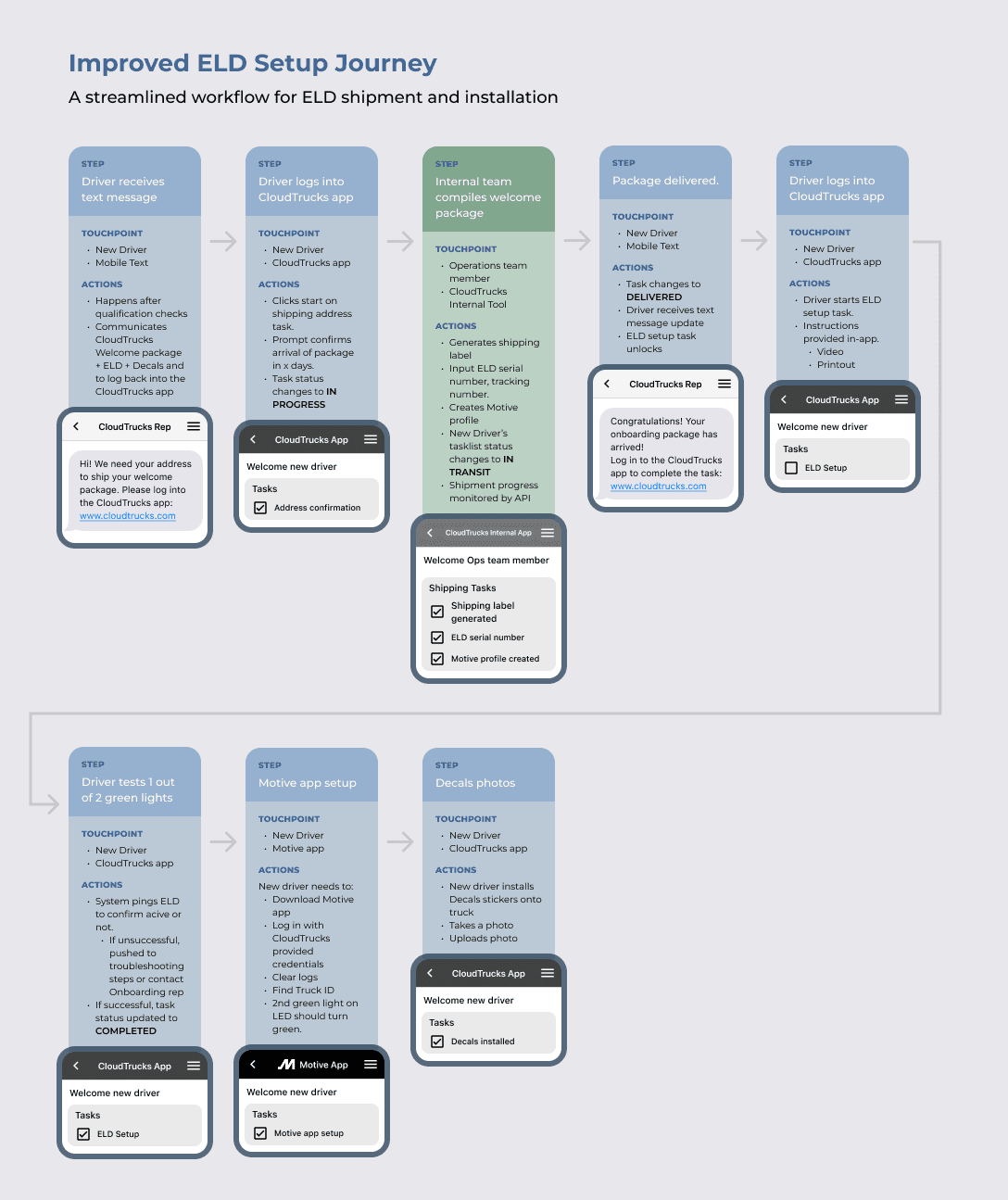
The redesigned ELD setup experience is presented as a guided flow that supports drivers through installation, pairing, and compliance. Each screen focuses on one clear task and provides confirmation before moving forward.


1. ELD Setup Entry Point

Drivers are introduced to ELD setup as a required step in onboarding, with clear expectations around what they will complete and how long it should take. This screen reduces uncertainty by explaining why setup matters and what is needed before starting.

Design intent

  • Set expectations early to reduce anxiety

  • Reinforce that this step is required for activation

  • Encourage drivers to complete setup in one session


2. Truck Information and Device Matching

Drivers confirm their truck details and match the ELD serial number to the correct vehicle. This step ensures accurate records and prevents compliance issues caused by mismatched hardware.

Design intent

  • Capture critical data early

  • Reduce manual follow-up by Operations

  • Prevent errors that block activation


3. Cable Type and Port Identification

Drivers are shown the exact cable type they need based on their truck. Visual references help them identify where to plug in the device and avoid common mistakes.

Design intent

  • Reduce installation errors across truck types

  • Replace guesswork with clear visual guidance

  • Support drivers with limited technical experience


4. Physical Installation Confirmation

After plugging in the device, drivers confirm that the ELD is powered and that the correct indicator lights are visible. This step gives immediate feedback before moving on.

Design intent

  • Validate physical installation before pairing

  • Catch errors early

  • Build confidence that the device is working


5. Motive App Pairing Guidance

This screen prepares drivers for what they will see in the Motive app. It explains login details, Bluetooth requirements, how to find the correct vehicle, and what signals indicate successful pairing.

Design intent

  • Reduce confusion when entering a third-party app

  • Translate technical steps into plain language

  • Make the pairing process predictable


6. Pairing Verification and Success State

Once pairing is complete, drivers see clear confirmation that the device is connected and transmitting correctly. This reinforces that setup is complete and successful.

Design intent

  • Provide reassurance and closure

  • Prevent unnecessary support calls

  • Signal readiness to move forward


7. DOT Sticker Verification

Drivers upload photos of their DOT stickers directly in the app. This replaces manual photo collection through text or email and keeps compliance records centralized.

Design intent

  • Simplify compliance verification

  • Reduce operational overhead

  • Create clean records inside the system


8. Completion and Next Steps

The final screen confirms that ELD setup is complete and explains what happens next in onboarding. Drivers leave knowing they are ready to drive and earn.

Design intent

  • Provide a strong sense of completion

  • Reinforce confidence and trust

  • Guide drivers to the next onboarding step

Design Process


My approach focused on understanding the full journey from the moment drivers opened their Welcome Package to the moment their ELD device was fully paired and transmitting data. I combined user research, operational feedback, and system mapping to identify where the breakdowns were happening and what drivers actually needed in order to move forward with confidence.


1. Mapped the current experience across all touchpoints

I reviewed the printed PDF, onboarding emails, texts from specialists, and the Motive app to understand how fragmented the experience was. I traced the exact steps drivers were asked to take and documented failure points.


2. Partnered with Operations and Support to understand real-world behavior

I listened to recorded support calls, observed live troubleshooting sessions, and gathered insights from team members who spoke with drivers every day. These sessions revealed the emotional side of the experience, especially for drivers who were uncomfortable with technology or unsure about compliance requirements.


3. Analyzed common hardware issues and installation errors

I identified why drivers often plugged into the wrong port, used the wrong cable, or expected different behavior from the device lights. This helped shape a more visual and confirmable setup flow.


4. Audited the Motive pairing flow

I walked through Motive’s pairing steps and documented every detail that was unclear or overly technical for new drivers. This informed the guidance layer I needed to build around the third-party app.

5. Benchmarked other hardware onboarding experiences

I looked at setup flows from other fleet tracking tools and general hardware products to understand how they educate users, confirm steps, and reduce uncertainty.

6. Synthesized insights into clear goals and a guided experience

These findings led to the decision to unify the entire process in-app, give real-time confirmation points, and build a structure that supports different truck types and cable configurations.

Design Process


My approach focused on understanding the full journey from the moment drivers opened their Welcome Package to the moment their ELD device was fully paired and transmitting data. I combined user research, operational feedback, and system mapping to identify where the breakdowns were happening and what drivers actually needed in order to move forward with confidence.


1. Mapped the current experience across all touchpoints

I reviewed the printed PDF, onboarding emails, texts from specialists, and the Motive app to understand how fragmented the experience was. I traced the exact steps drivers were asked to take and documented failure points.


2. Partnered with Operations and Support to understand real-world behavior

I listened to recorded support calls, observed live troubleshooting sessions, and gathered insights from team members who spoke with drivers every day. These sessions revealed the emotional side of the experience, especially for drivers who were uncomfortable with technology or unsure about compliance requirements.


3. Analyzed common hardware issues and installation errors

I identified why drivers often plugged into the wrong port, used the wrong cable, or expected different behavior from the device lights. This helped shape a more visual and confirmable setup flow.


4. Audited the Motive pairing flow

I walked through Motive’s pairing steps and documented every detail that was unclear or overly technical for new drivers. This informed the guidance layer I needed to build around the third-party app.

5. Benchmarked other hardware onboarding experiences

I looked at setup flows from other fleet tracking tools and general hardware products to understand how they educate users, confirm steps, and reduce uncertainty.

6. Synthesized insights into clear goals and a guided experience

These findings led to the decision to unify the entire process in-app, give real-time confirmation points, and build a structure that supports different truck types and cable configurations.